
Download SXBandMaster – internet optimization, network management, connection settings, traffic monitoring, FTP management
Overview
SXBandMaster is a utility tool designed to improve internet connectivity and streamline network management for users seeking greater control over their online experience. Originally released in 2006, the application was developed by SXBandMaster as a dedicated solution for optimizing connection settings and managing network usage across multiple interfaces. While the app’s development history suggests it was created during an era of evolving broadband infrastructure, its core purpose remains relevant: empowering users to monitor, configure, and prioritize their internet traffic efficiently.
The software targets both casual users and technically inclined individuals who require reliable tools for managing their network performance. Its dual interface design—Professional and Advanced—ensures accessibility for a broad audience, from those needing quick configuration options to users who require granular control over their connections. This adaptability makes SXBandMaster particularly useful for environments where network stability and speed are critical, such as remote work setups, small business operations, or home networks with multiple connected devices.
Despite its age, the application continues to serve as a functional tool for managing dial-up and early broadband connections, offering features like traffic monitoring, FTP handling, and connection switching. It reflects a time when users had to manually configure network settings to maintain optimal performance. Although modern systems have largely automated many of these functions, SXBandMaster remains a niche utility for users who value direct control over their internet experience.
The developer did not provide additional technical details. Specific requirements were not listed. Compatibility information was not fully disclosed.
Key Features & Functionality
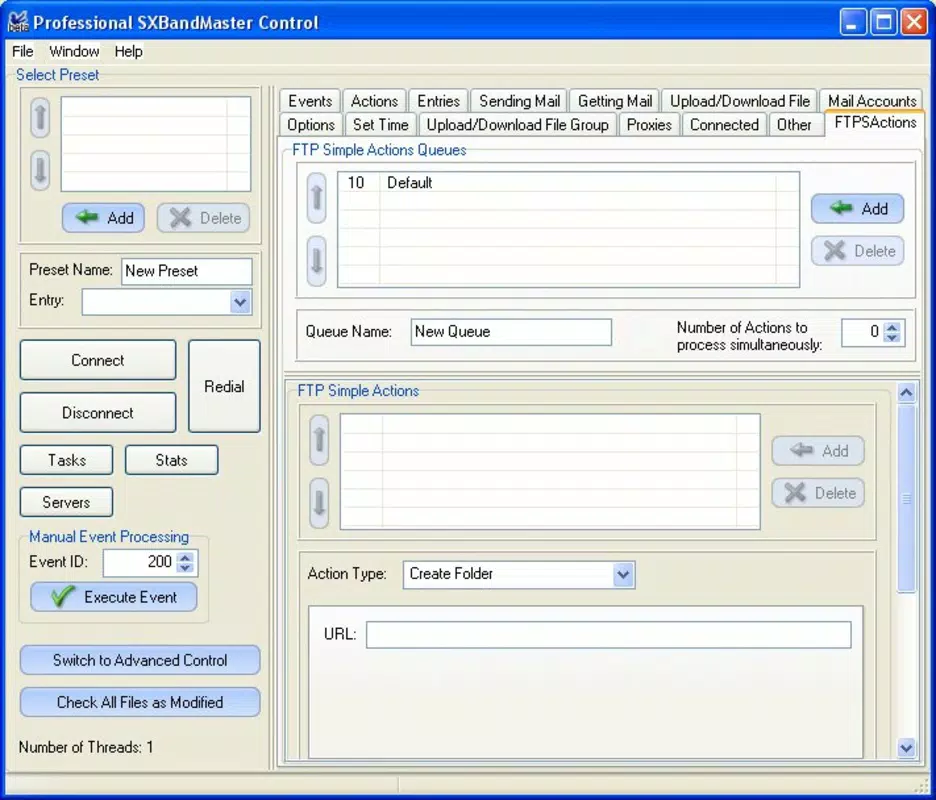
- Dual Interface Options: SXBandMaster offers two distinct user interfaces—Professional and Advanced—designed to accommodate users with varying technical expertise. The Professional mode simplifies access to essential tools, enabling quick adjustments without requiring in-depth knowledge. The Advanced mode provides deeper configuration capabilities, allowing users to fine-tune connection parameters and network behavior.
- Comprehensive Dialer Manager: The built-in dialer manager allows users to set up, configure, and switch between multiple internet connections. This feature is particularly useful for users who rely on different providers or connection types, such as dial-up, broadband, or mobile hotspots, enabling seamless transitions between them.
- Traffic Management Tools: Users can monitor file transfers, allocate bandwidth, and prioritize specific types of network traffic. This functionality helps ensure that critical tasks—such as video calls or large file uploads—receive sufficient network resources, improving overall performance and reducing latency.
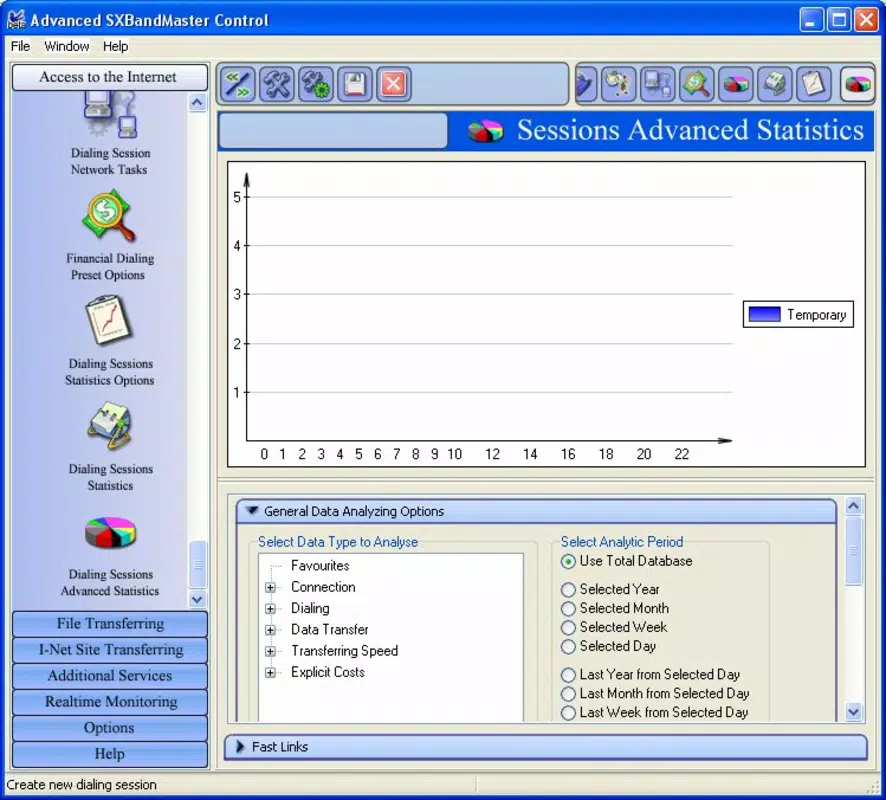
- Graphic Usage Visualizer: A real-time visualizer displays internet usage patterns through dynamic graphs. This feature provides immediate feedback on data consumption, helping users identify usage spikes, detect anomalies, and make informed decisions about connection management.
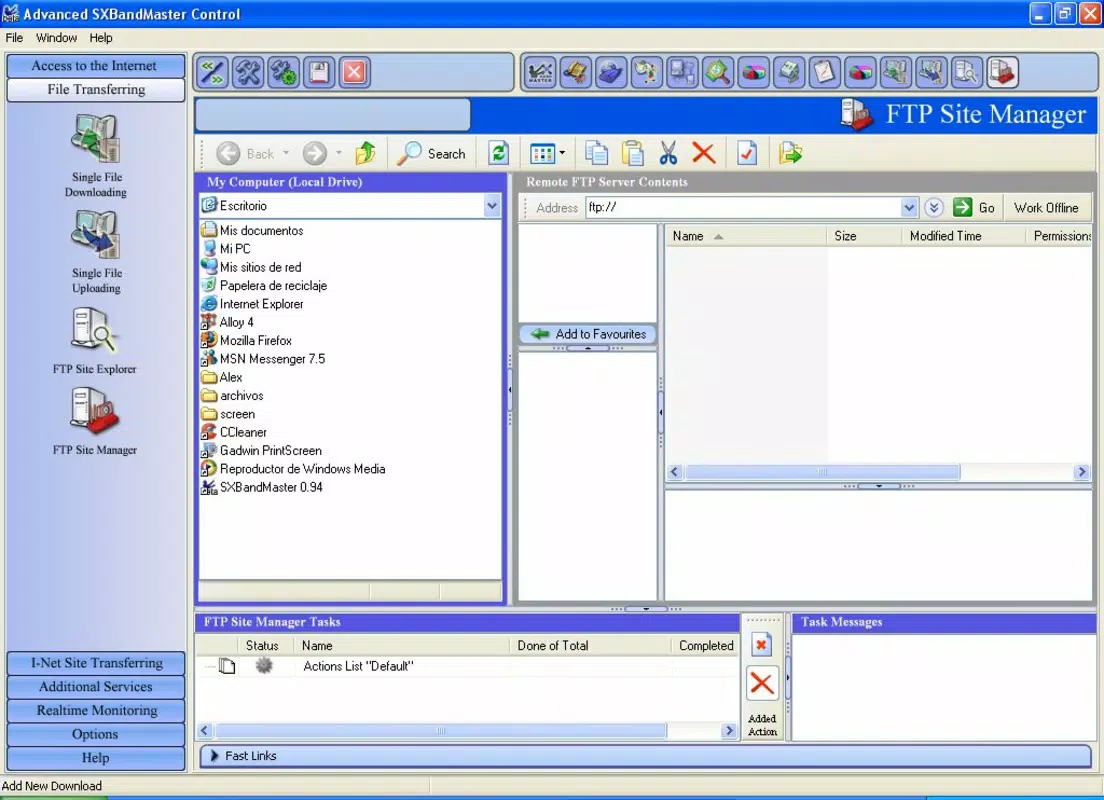
- FTP and Synchronization Management: The application includes tools for managing FTP connections and synchronizing files across devices. This enables users to transfer files efficiently while maintaining stable connections, which is especially beneficial for users engaged in regular data exchange or remote file access.
These features collectively support a wide range of real-world use cases, from managing home network traffic to optimizing performance in small office environments. The ability to switch between connection types and monitor usage in real time makes SXBandMaster a practical tool for users who need consistent and reliable internet access.
Interface, UX & Performance
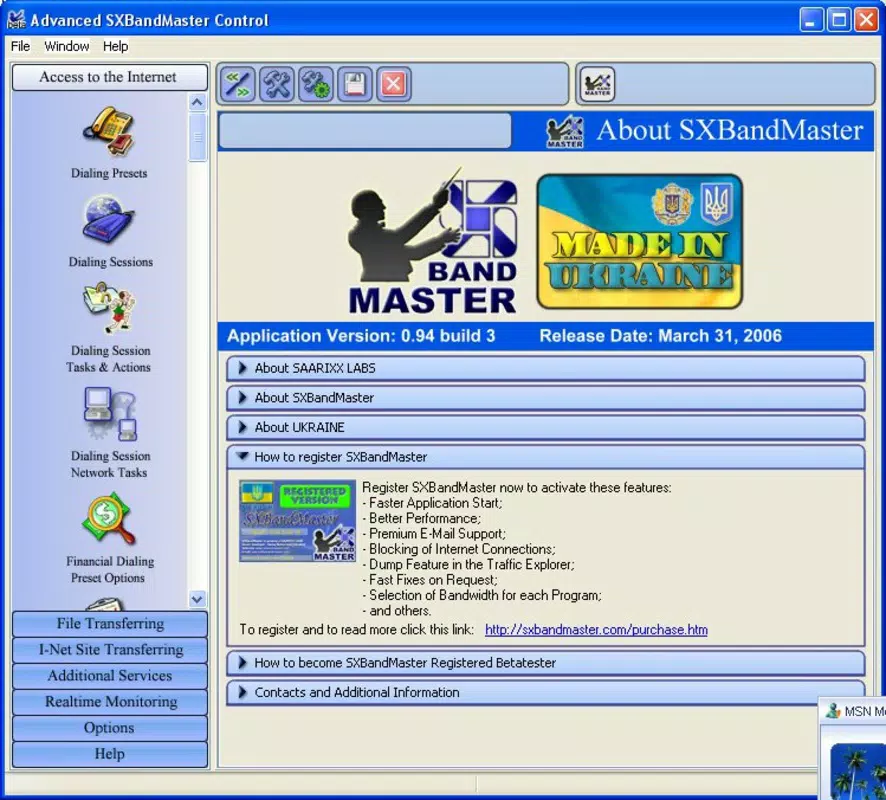
SXBandMaster features a dual-interface architecture that balances simplicity and functionality. The Professional interface is designed for ease of use, offering streamlined access to core tools and settings. This layout minimizes cognitive load, making it ideal for users who prefer minimal configuration and fast setup. The Advanced interface, in contrast, presents a more detailed view of network parameters, allowing for precise adjustments to connection profiles, bandwidth allocation, and traffic prioritization.
Navigating between modes is reportedly intuitive, with clearly labeled sections and logical grouping of related functions. The visualizer component provides immediate graphical feedback, enhancing user understanding of network behavior. However, the developer did not list formal performance metrics, so specific responsiveness or load times on different device categories cannot be verified.
Although the developer did not list formal performance metrics, the application’s lightweight footprint—4.3 MB—suggests it is optimized for low-resource environments. This small file size indicates efficient code structure and minimal system overhead, which may contribute to stable operation on older or less powerful systems. The application’s longevity since 2006 implies a level of reliability, though modern compatibility is not confirmed.
Stability and responsiveness appear to be consistent based on its long-standing presence, but real-world testing across modern operating systems has not been documented. Users should exercise caution when installing on current systems, as legacy software may encounter compatibility issues.
Platform Compatibility & Technical Requirements
SXBandMaster is designed for the Windows platform, with a software version of 1.0.0 and a file size of 4.3 MB. The application is available at no cost, making it accessible to a wide audience seeking free network management tools.
While the developer did not specify minimum OS requirements, the app’s release date in 2006 suggests it was originally built for early versions of Windows, such as Windows XP or Windows Vista. Compatibility with modern Windows systems (e.g., Windows 10 or 11) is not confirmed. Users should verify system compatibility before installation, especially if running updated or enterprise-grade operating systems.
The developer did not provide additional technical details. Specific requirements were not listed. Compatibility information was not fully disclosed.
Pros and Cons
Pros
- Free to download and use, offering value without cost
- Lightweight file size (4.3 MB) ensures minimal system impact
- Dual interface design caters to both beginners and advanced users
- Real-time traffic visualization helps monitor data usage effectively
- Supports multiple connection types and FTP management
Cons
- Released in 2006; may lack compatibility with modern operating systems
- No official updates or maintenance since release
- Developer did not provide technical specifications or system requirements
- Legacy software may pose security risks on current networks
- Limited support and community resources available
FAQ
Is SXBandMaster safe to install on my computer?
While the application was released in 2006 and is free to download, users should exercise caution. As a legacy tool with no recent updates, it may not be compatible with modern security protocols. It is recommended to scan the file with antivirus software before installation.
Can I use SXBandMaster on Windows 10 or Windows 11?
Compatibility with Windows 10 or 11 is not officially confirmed. The app was developed for older Windows versions. Users may experience issues when running it on newer systems, especially if compatibility mode or administrator privileges are required.
Does SXBandMaster require an internet connection to function?
Yes, the application is designed to manage and monitor internet connections. It requires an active network connection to perform its core functions, such as traffic monitoring, FTP management, and connection switching.
Is SXBandMaster regularly updated?
No updates have been released since its initial launch in 2006. The software has not been maintained or improved over time, which may affect its performance and security on modern systems.
Can I download SXBandMaster for free?
Yes, SXBandMaster is available at no cost. The application is distributed as a free tool for network management and internet optimization.
Final Thoughts
SXBandMaster remains a notable example of early network management software, offering a blend of functionality and accessibility through its dual-interface design. While its age and lack of updates present challenges for modern users, the application still holds value for those operating legacy systems or seeking a lightweight, no-cost solution for managing internet connections.
Its features—such as traffic monitoring, FTP handling, and dialer management—continue to serve niche use cases, particularly in environments where manual control over network settings is preferred. However, users should be aware of potential compatibility and security limitations when considering installation on current systems.
For individuals with older hardware or specific legacy needs, SXBandMaster may offer a practical, no-cost utility. Still, it is not recommended for users seeking robust, up-to-date network optimization tools.
Download SXBandMaster now


